
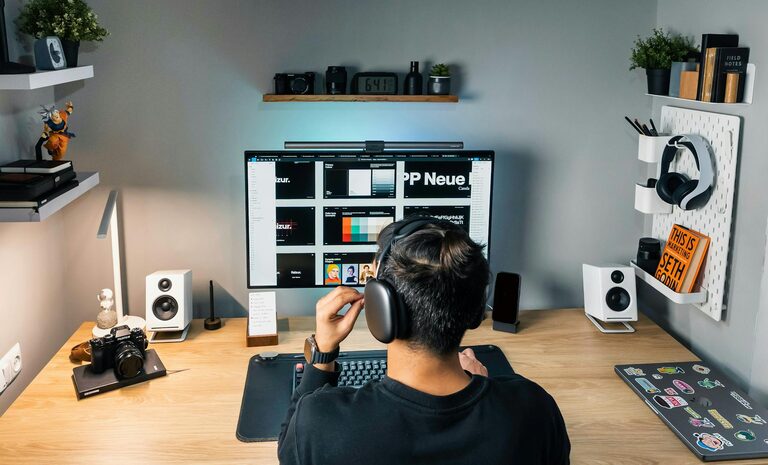
Tips for Creating a Cozy and Productive Home Office Space
syminuo >> homo sapiens>> Tips for Creating a Cozy and Productive Home Office Space
Tips for Creating a Cozy and Productive Home Office Space
Creating a home office that feels inviting yet keeps you focused can be a game-changer for your work-from-home routine. Whether you’re new to remote work or looking to refresh your current setup, striking the right balance between coziness and productivity helps improve your mood and efficiency. This guide offers practical tips and ideas to design a home office space that supports your work and well-being.
Choose the Right Location
The first step is selecting a spot for your home office that suits your needs.
– Quiet and Private: Pick a space away from high-traffic areas or noisy spots to reduce distractions.
– Natural Light: A location with plenty of natural light can boost your mood and alertness.
– Comfortable Size: Ensure the area is large enough for your desk, chair, and any essential equipment, without feeling cramped.
If space is limited, consider multi-use rooms or corners you can dedicate during work hours.
Invest in Ergonomic Furniture
Comfort is key to staying productive throughout the day.
– Desk: Choose a desk with enough surface area for your computer, notes, and extra tools. Adjustable desks that allow standing can promote better posture.
– Chair: An ergonomic chair that supports your lower back and encourages proper posture reduces fatigue and pain.
– Accessories: Use keyboard trays, monitor stands, or footrests as needed to maintain comfort and ergonomics.
Your furniture should invite you to sit and work comfortably for extended periods.
Optimize Lighting
Good lighting helps reduce eye strain and keeps you alert.
– Natural Light First: Position your desk near a window if possible, but avoid glare on screens.
– Layered Lighting: Combine ceiling lights with task lighting, such as a desk lamp with adjustable brightness.
– Color Temperature: Use lights with a neutral to cool color temperature during work hours to stay focused; warmer light tones can create coziness during breaks.
Consider dimmable options to adjust based on the time of day.
Declutter and Organize
A tidy space fosters a clear mind and better focus.
– Minimalist Approach: Keep only necessary items on your desk to avoid distractions.
– Storage Solutions: Use shelves, drawers, or organizers to store supplies, documents, and devices neatly.
– Cable Management: Use clips or sleeves to keep cords organized and out of the way.
Plan a weekly or daily routine to tidy your workspace before or after work.
Personalize Your Space
Adding personal touches can make your office feel welcoming without sacrificing professionalism.
– Plants: Indoor plants improve air quality and add a touch of nature.
– Artwork and Photos: Choose inspiring or calming images that motivate you.
– Comfort Items: Include cozy elements like a soft throw blanket or a small cushion.
Personalization helps create a sense of ownership and enjoyment in your workspace.
Manage Noise and Distractions
Limiting interruptions is crucial for deep focus.
– Noise-Canceling Headphones: These can help block out background noise.
– Soft Background Music: Some people work better with ambient sounds or instrumental music.
– Set Boundaries: Communicate with family or housemates about your work hours and space.
White noise machines or apps can also help maintain concentration when silence is hard to find.
Incorporate Movement and Breaks
Staying physically active supports productivity and well-being.
– Take Regular Breaks: Follow techniques like the Pomodoro Technique (25 minutes work, 5 minutes break) to maintain energy.
– Stretching: Do simple stretches or light exercises during breaks to reduce stiffness.
– Flexible Workspace: Consider a corner area where you can stand, stretch, or change posture.
Movement refreshes your mind and helps prevent discomfort.
Keep Technology Updated
Reliable technology ensures smooth workflow.
– Fast Internet: A strong and stable internet connection is essential.
– Quality Equipment: Invest in a good computer, monitor, keyboard, and mouse suited to your tasks.
– Backup Plans: Use a surge protector and back up important files regularly.
Regular updates and maintenance reduce frustrations related to technical problems.
Control Temperature and Air Quality
Comfortable air and temperature boost concentration.
– Ventilation: Open windows when possible or use air purifiers to improve air quality.
– Heating and Cooling: Ensure your space is neither too hot nor too cold.
– Humidity: Consider a humidifier or dehumidifier as needed to maintain balanced humidity.
A comfortable climate helps maintain focus and reduces discomfort.
—
By combining these tips, you can build a home office that feels like a pleasant place to work and helps you stay productive throughout the day. Remember, the ideal workspace reflects your personal needs and style while supporting your professional goals. Take time to adjust your setup, and enjoy the benefits of a cozy, efficient home office environment.
Related Post
Tips for Creating a Cozy and Inviting Home Workspace
Creating a cozy and inviting home workspace is more important than ever as many of…